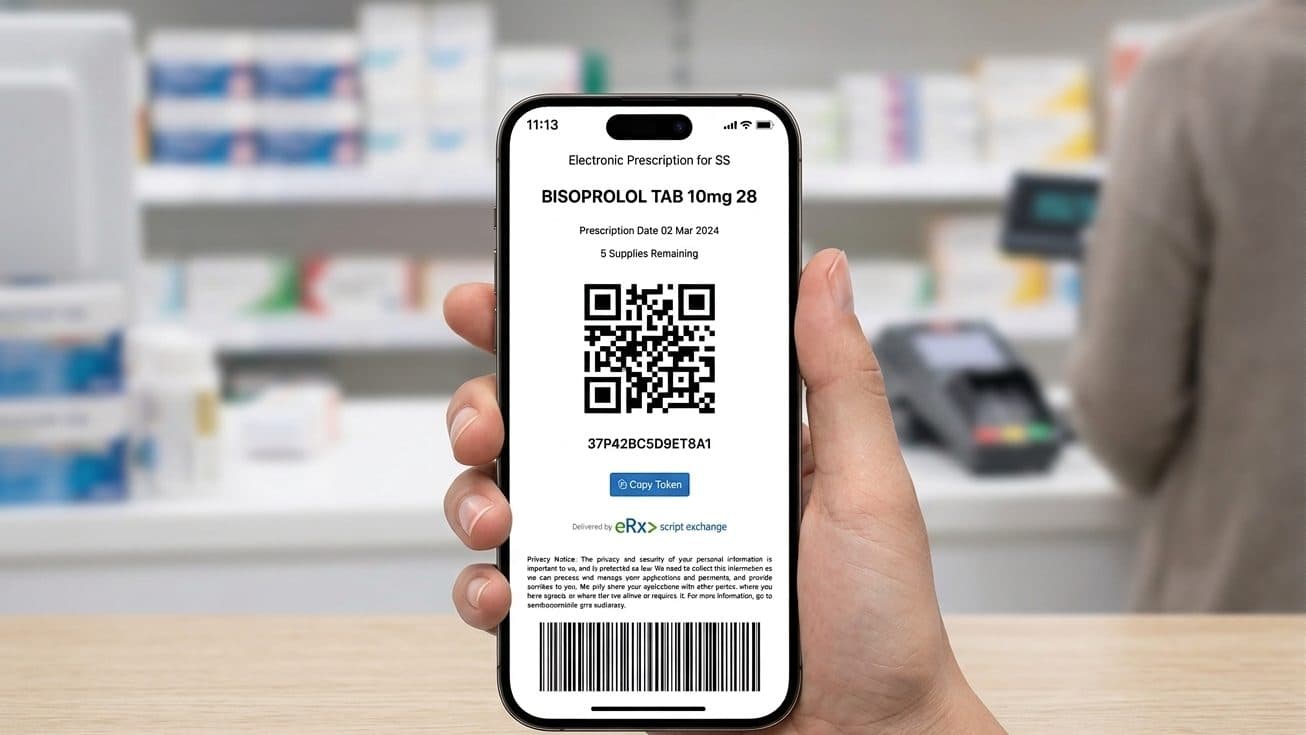
An Active Script List, or ASL, is a single digital list of all your current prescriptions, so a pharmacy can dispense straight from it instead of you forwarding a separate token every time. It suits people who take several regular medicines and are tired of tracking a new message for each one.
General information, not medical advice
This guide explains how things work in general. It cannot tell you what is right for you, so check anything that affects you with your pharmacist or GP.
Always read the label and follow the directions for use.
Based on official Australian government and health sources. Rules can change.
The list holds your electronic prescriptions and any barcoded paper prescriptions, along with any repeats you have not used yet. Once you register, every new electronic prescription is added to your list automatically, according to the Australian Digital Health Agency, which runs the national electronic prescribing service.
An ASL is optional. If you would rather stay with the standard token model, our eScripts guide explains how that works, and our prescriptions in Australia guide covers the wider system.
What an Active Script List holds
An ASL is a current list of your prescriptions, not a full medical record. It shows your scripts and repeats, and none of the clinical detail a treating team would hold.
The Australian Digital Health Agency describes the ASL as a token management option for your prescriptions and repeats. Instead of keeping track of a separate token for each medicine, you keep one list that your pharmacy reads with your consent.
If your doctor gives you a barcoded paper prescription rather than an electronic one, the agency notes you must still present the paper copy, because a pharmacist is legally required to have it before supplying the medicine.
You can also choose to keep a particular medicine off the list. The agency advises asking your doctor not to add that medicine when they prescribe it.
How an ASL differs from the token model
With the standard token model, your prescriber sends a token to your phone by text message (SMS) or email, and you forward it to whichever pharmacy dispenses it. Each medicine is a separate token, and each repeat produces a new one. An ASL brings all of that into a single list your pharmacy can read once you consent.
| Token model | Active Script List | |
|---|---|---|
| Where your scripts sit | On your phone, one token at a time | In one list, held centrally |
| How the pharmacy gets the script | You forward the token or show its barcode | The pharmacy reads it from your list, with your consent |
| Repeats | A new token arrives after each fill | They stay on the list until they are used up |
| Setup | None | A one-off registration at a pharmacy |
| Best suited to | Occasional or one-off prescriptions | Several regular medicines |
token and Active Script List behaviour described by the Australian Digital Health Agency.
If you take one or two medicines, the token model is usually enough. If you take several regular medicines, an ASL is generally easier. Our repeat prescriptions guide explains how repeats behave under each option.
How to register for an ASL
Registering is a one-off, and you usually do it in person at a pharmacy. You never sign up again once your list is running.

Bring a mobile phone and your identification, and pharmacy staff can set your list up on the spot.
The Australian Digital Health Agency advises visiting your pharmacy with a mobile phone and 100 points of identification. Most community pharmacies across Australia can register you, and the Department of Health, Disability and Ageing says registration may also be available through your prescriber. Registration takes three steps, and you complete all three in that one visit.
After you register, you do not sign up again for each new prescription; it appears on the same list, and you can still ask for a token by text message or email if you prefer one. The agency's guidance is to ask staff to open your list and dispense from it when you collect a medicine.
If you would like to see the list yourself, the Department of Health, Disability and Ageing electronic prescribing questions and answers say the my health app now lets you access and view your Active Script List. The Australian Digital Health Agency also notes that your local pharmacy may have its own app for managing electronic prescriptions, so it is worth asking your pharmacy which app it uses.
How to give and remove pharmacy access
Registering does not tie you to a single pharmacy. Each pharmacy needs your consent before it can open your list, so you can give access to more than one over time, and you decide who holds it. You might add a new pharmacy after moving house, or to use one that delivers or keeps longer hours.
Consent is granted in person: you ask staff to open your list, and the pharmacy confirms the request through its dispensing software, usually by a message to your phone or email.
To take a pharmacy's access away, or to close your list entirely, the Australian Digital Health Agency directs you to email the Active Script List Registry provider at info@medicationknowledge.com.au. Your pharmacy can give you the right contact if you are unsure. For moving a partly used paper script between pharmacies, see our transfer a prescription guide.
- Choose each pharmacy. A pharmacy needs your consent before it can open your list.
- Add more than one. There is no single-pharmacy limit, so you can authorise several.
- Keep a medicine private. Ask your prescriber not to add it when they write it.
- End access by email. Email the registry provider to remove a pharmacy or close your list.
What an ASL means for your privacy
Under the agency's consent model, a pharmacy you authorise can see every active script and repeat on your list, including medicines from prescribers you have not mentioned to that pharmacy. What it holds is limited to your prescriptions, so the pharmacy gains no view of your wider health record.
If you would rather no single pharmacy saw your whole prescription list, you do not have to register. You can stay with the token model and forward only the scripts you want a given pharmacy to fill. If a token will not open or a pharmacy cannot find your script, our eScript troubleshooting guide sets out the common fixes.
Talk to someone now
Free advice for questions about a medicine, dose, or interaction.
Frequently asked questions
No. The token model is the default and needs no sign-up. You can register for an ASL later if separate tokens become inconvenient, and you can return to tokens afterwards.
Yes. There is no one-pharmacy limit, and authorising a new one does not end access for the others. Each keeps its access until you email the registry provider to end it.
The agency's advice is to raise it with the prescriber, decided script by script. If you would prefer a medicine never reached any list, ask for it as a token rather than adding it to your ASL.
Nothing changes at your end, and there is no form to complete. A new doctor's electronic script reaches the same list, and the pharmacy you have authorised sees it at your next visit.
No. My Health Record is a broader clinical summary that can hold hospital discharge summaries and pathology results. An ASL is only your current prescriptions. They are separate systems, and you can use either without the other.
Your list is held centrally rather than on your phone, so a lost or changed phone does not affect it. Your pharmacy can still open it, and you can set up a management app again on a new device. Find a pharmacy near you: browse Australian pharmacies.